
Kindle Paperwhite (2024) Review UK — Best Kindle for Most Readers?
The Kindle Paperwhite (2024) is still the easiest Kindle to recommend for most UK readers who want a serious e-reader without going all the way to the most expensive models. It gives you a larger glare-free screen, long battery life, waterproofing, and a more premium reading experience than the basic Kindle. If you read regularly and want one Kindle that gets the balance right, this is usually the model to buy.
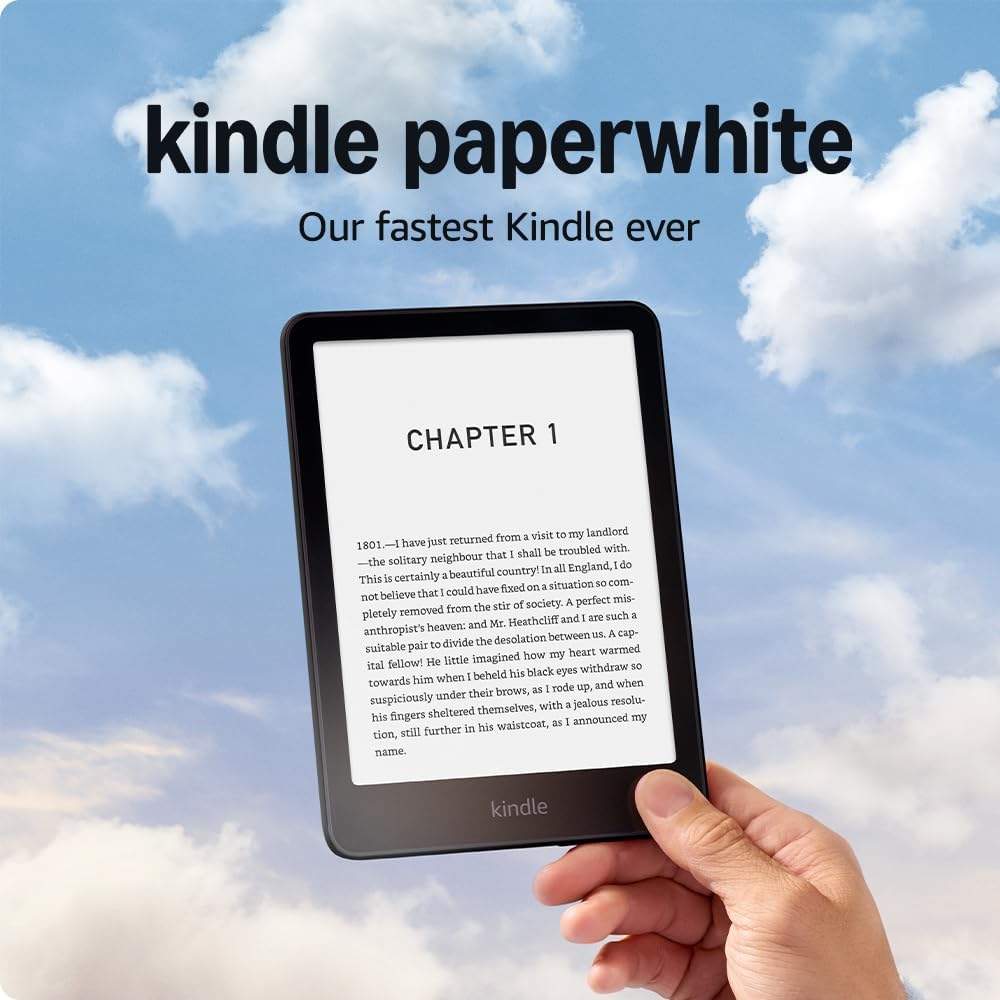
Quick verdict
The Kindle Paperwhite (2024) is the best all-round Kindle for most UK readers. It gives you a larger glare-free screen, warm light, waterproofing, and excellent battery life without pushing you up to the most expensive Kindle models. It is not the cheapest option, and it is not an essential upgrade for everyone with a recent Paperwhite. But for first-time e-reader buyers and people moving from an older Kindle, it is usually the safest choice.
Best for
- UK readers who want the best all-round Kindle
- People who read novels, non-fiction, and everyday ebooks
- Readers who want a bigger, more comfortable screen than the basic Kindle
- Travel, commuting, holidays, and long battery-life use
Not ideal for
- Buyers on a tight budget
- Anyone already happy with a recent Paperwhite
- Readers who mainly want colour for comics and illustrated content
- People who care more about library borrowing support than Kindle ecosystem convenience
Key Specs at a Glance
| Spec | Detail |
|---|---|
| Display | 7-inch E Ink display, 300ppi |
| Storage | 16GB standard / more on Signature Edition |
| Battery life | Very long-lasting, designed for weeks rather than days |
| Waterproofing | IPX8 |
| Connectivity | Wi-Fi, Bluetooth |
| Charging | USB-C |
| Weight | Light enough for long reading sessions |
| Best use | Everyday reading, travel, long-form books |
What Changed in the 2024 Model?
The 2024 Paperwhite improves the reading experience in a few useful ways rather than changing the whole device. The main advantages are a slightly larger display, smoother general use, and a cleaner overall reading feel. These are the kinds of upgrades that matter more when you read often than when you only pick it up now and then.
- Larger screen — more reading space without turning the device into a heavy tablet-style reader.
- Faster feel — page turns and navigation feel a little smoother than before.
- Better reading comfort — the Paperwhite remains one of the easiest devices to stare at for long sessions, especially with warm light in the evening.
- USB-C charging — still a welcome improvement over older Kindle charging setups.
Display and Reading Experience
The display is the main reason people buy the Paperwhite instead of the cheaper Kindle. The screen is larger, sharper, and more comfortable for extended reading. For novels and non-fiction, it gives a more premium experience without becoming oversized or tiring to hold.
The warm light is especially useful if you read at night, and the glare-free screen remains one of Kindle’s biggest strengths compared with reading on a phone or tablet. It is still one of the easiest devices to use outdoors, on public transport, or in bed.
For black-and-white reading, the Paperwhite remains the better choice than colour-first e-readers unless your main use is comics or heavily illustrated content.
Battery Life
Battery life is one of the Paperwhite’s best practical advantages. This is not a device you think about charging every few days. For most readers, it lasts long enough to feel almost low-maintenance, which is one of the reasons Kindles are so convenient for travel and daily carry.
That matters more than people expect. Once you stop treating an e-reader like a phone and start treating it like a long-life reading device, the Paperwhite becomes much easier to live with.
Pros and Cons
✅ Pros
- Excellent all-round reading experience
- Larger and more comfortable screen than the basic Kindle
- Warm light is useful for evening reading
- Waterproofing adds real flexibility for travel and casual reading anywhere
- Long battery life is a major quality-of-life benefit
- USB-C charging is simple and convenient
- Strong pick for first-time e-reader buyers
❌ Cons
- Costs noticeably more than the basic Kindle
- Not a necessary upgrade for everyone with a recent Paperwhite
- No colour display
- No physical page-turn buttons
- The Kindle ecosystem will not suit every type of reader equally
Who Is It Best For?
✅ Buy it if:
- You want the best Kindle for regular everyday reading
- You are buying your first serious e-reader
- You read novels, non-fiction, and long-form text often
- You want a more premium experience than the basic Kindle gives
- You read near water, outdoors, or while travelling
❌ Skip it if:
- You already own a recent Paperwhite and are happy with it
- You want the cheapest entry into Kindle reading
- You mainly want colour for comics or graphic-heavy content
- You strongly prefer library-focused alternatives like Kobo
Kindle Paperwhite vs Basic Kindle — Which Should You Buy?
| Feature | Kindle Paperwhite | Basic Kindle |
|---|---|---|
| Screen size | Larger | Smaller |
| Warm light | Yes | No |
| Waterproofing | Yes | No |
| Reading comfort | Better for frequent readers | Fine for lighter use |
| Best for | Regular reading | Budget buyers |
Verdict: The Paperwhite is the better buy for people who read often and want a more comfortable long-term e-reader. The basic Kindle still makes sense if price matters more than premium features.
Standard vs Signature Edition — Which to Choose?
| Feature | Standard | Signature Edition |
|---|---|---|
| Storage | Enough for most readers | More storage |
| Auto-adjusting light | No | Yes |
| Wireless charging | No | Yes |
| Best for | Most buyers | People who want the extra convenience features |
Verdict: The standard version is enough for most people. The Signature Edition makes more sense for buyers who specifically want auto-adjusting light and the extra convenience features.
Where to Buy in the UK
The Kindle Paperwhite is sold on Amazon.co.uk and often becomes more attractive during bigger Amazon device discounts. If the price drops, it becomes one of the strongest e-reader buys in the UK market.
Frequently Asked Questions
Is the Kindle Paperwhite waterproof?
Yes. That is one of the main practical reasons many people choose it over the basic Kindle.
Can I borrow library books on the Kindle Paperwhite?
Library borrowing support is more limited than on some Kobo alternatives, so this is worth checking carefully if it matters to you.
How long does the battery last?
Battery life is one of the strongest points of the Paperwhite and is measured in weeks rather than days for typical reading use.
Should I upgrade from the 2021 Paperwhite?
Not necessarily. For many buyers, the difference is not large enough unless they are upgrading from a much older model or their current device needs replacing.
Can I read ePub files on it?
Yes, but Kindle handling of file formats still works best when you use Amazon’s own transfer methods or compatible ebook management tools.
Does it support audiobooks?
Yes. It can work with Audible through Bluetooth audio devices.